Private AI That Never Leaves Your Office
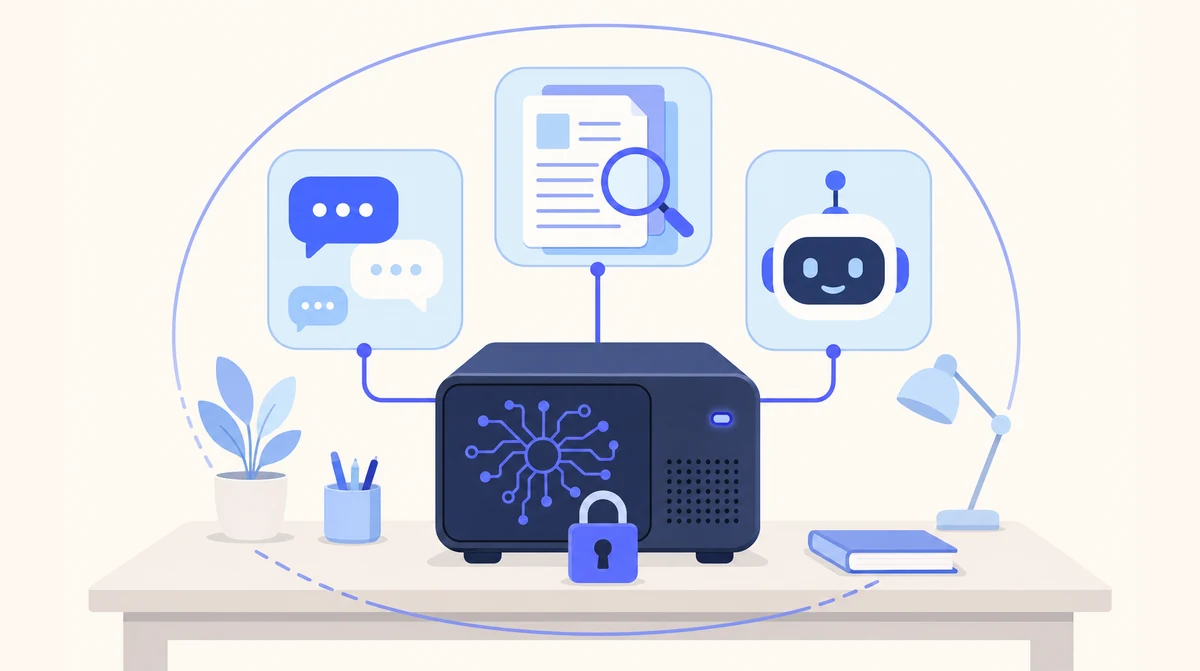
A dedicated AI machine installed at your premises, running open-weight models. Chat with an AI assistant, and search and summarise your own documents — with every byte staying inside your building.
€600 per month for the software and the hardware rental. You rent the machine — you don’t buy it.
Supports your GDPR compliance — no third-party processor, no international transfer
Why Cloud AI Is a Problem for Some Irish Businesses
For solicitors, GPs, dentists, accountants and HR teams, the material that would benefit most from AI is exactly the material that cannot casually be sent to a third party. Client confidentiality and professional-body guidance set a high bar for where files are processed, GDPR requires you to know and justify that, and plenty of commercial contracts explicitly forbid passing the other side's documents to an external processor.
Meanwhile the work carries on. Staff who need a document summarised or a letter drafted quickly are already pasting text into public chatbots, usually with the best of intentions and no record of what went where. A blanket ban does not stop that; it just moves it out of sight. Local AI gives those teams the same kind of tool on a dedicated machine rented to you, in a building you control.
How It Works
One machine in your office, running open-weight models, with your documents and chat history stored on it.
Private Chat
A ChatGPT-style assistant running on your own machine. Ask it questions, upload documents and images, and work through drafts — without any of it going to an outside service.
Document Spaces
Organise contracts, files and reports into spaces. Search, summarise and compare across hundreds of documents, with citations back to the page the answer came from.
AI Assistants
Custom automations built for your workflows — recurring reports, standard memos, routine checks — running on the same machine as everything else.
Your Existing Sign-In
Single sign-on with Microsoft 365 or Google Workspace, so your team log in with the accounts they already have and you keep control of who has access.
Nothing Leaves the Building
Models, documents and chat history all live on the box. The only outside connection is to your own Microsoft or Google account for sign-in.
Installed and Supported by Us
We supply and set up the hardware, install the software, train your team and keep it updated. There is no server project for your IT person to run.
Hardware, Setup and Ongoing Support
One arrangement covers the machine, the installation and keeping it current. €600 per month for the software and the hardware rental — the machine is rented, not sold.
Hardware
- A dedicated machine, rented to you (not sold) and sized for your team
- Supplied, configured and installed by us
- Sits on your network, in your building
- We size and specify the machine for you after a short call
Setup
- Installation on your network
- Single sign-on with Microsoft 365 or Google Workspace
- Import of your existing documents into spaces
- Training for the people who will use it
Ongoing
- Software updates and model upgrades
- Support from the people who installed it
- Optional custom assistants as your needs change
- €600 per month for the software and the hardware rental
How Local AI Supports Your GDPR Compliance
No product can make a business GDPR-compliant on its own, and we won't pretend otherwise. What Local AI does is remove the hardest question from the assessment — where the personal data goes. With Local AI, it doesn't go anywhere.
No Third-Party AI Processor
The model runs on your own machine, so your documents are never sent to an AI provider. There is no extra processor to appoint, assess or keep under review for the AI step itself.
No International Transfers
Nothing crosses a border. The Chapter V questions that make cloud AI hard to sign off — standard contractual clauses, transfer impact assessments — simply don't arise for the processing Local AI does.
Security of Processing
Article 32 asks for appropriate technical measures. Personal data stays inside your own network, behind your own access controls, on hardware you physically hold in your building.
A Shorter Article 30 Record
Your record of processing activities gains one fewer processor and one fewer transfer to describe, review and keep current each year.
Never Used to Train Models
Your documents and conversations are not used to train or improve any model — ours or anyone else's. The models arrive trained and stay that way unless you ask us to change them.
Erasure Means Erasure
Retention and deletion follow the policy you already have, because the files never left your systems. When you delete something, there is no third-party copy left behind to chase.
You remain the data controller throughout. We act as a processor only for the support access you choose to grant us, and we will sign a data processing agreement covering it. Bring your DPO or your advisers to the call — these are the questions we would rather answer early.
Cloud vs Local — Which Is Right for You?
Both are good answers to different questions. Here is the honest comparison.
| ☁ Cloud AI Agents | 🏢 Local AI | |
|---|---|---|
| Where your data is processed | On our servers | On your premises |
| Setup time | Days | Weeks, not months |
| Hardware required | None | One dedicated machine, supplied by us |
| Best for | Phone, email and leads automation | Document-heavy, confidential work |
| Internet required | Yes | Only for sign-in |
| Pricing model | Monthly subscription | €600 per month, software and hardware rental |
Many clients run both: cloud agents for the phone and inbox, Local AI for confidential documents.
Frequently Asked Questions
How much does Local AI cost?
€600 per month for the software and the hardware rental. The dedicated machine is rented to your business, not sold: you never buy the hardware. It is installed in your building and runs the private chat, document spaces and assistants. Local AI is for business customers only.
Does Local AI help with GDPR?
No product can make your business GDPR-compliant on its own. What Local AI does is remove the hardest question from the assessment: where the personal data goes. Documents, chat history and the models all stay on a dedicated machine on your own premises, so there is no transfer to a third-party AI provider and no international transfer to justify. You remain the data controller, your existing retention and access policies keep applying, and your content is never used to train models. We act as a processor only for the support access you grant us, and we will sign a data processing agreement covering it. See the full breakdown above.
Does it need internet?
Not for the AI itself. The models run on the machine in your office, so chat and document search keep working if your line goes down. An internet connection is used for two things only: signing in, and connecting to your own Microsoft 365 or Google Workspace account if you choose to enable that.
How good is a local model compared with ChatGPT?
Honestly: very capable for business tasks, and somewhat slower than the large cloud services. Open-weight models handle summarising, drafting, extracting and answering questions about your own documents to a standard most offices are happy with. For frontier reasoning on hard, novel problems the biggest cloud models are still ahead. The trade you are making is a little capability and speed in exchange for your data never leaving the building.
Can you build custom assistants for us?
Yes. Custom assistants run on the same machine and are built around your workflows — a report you produce every month, a checklist someone runs by hand, a memo drafted from a standard set of inputs. We scope them with you, and they are covered by the ongoing support arrangement.
What happens if the machine fails?
Your documents and spaces are backed up, and a replacement machine is restored from those backups. We agree the exact backup schedule and the replacement arrangement with you before go-live, as part of the support agreement — ask us to walk through it on the call.
Can we start with one team?
Yes, and most clients should. One machine, one team, one clearly defined use — the contracts folder, or the tender inbox. Once that team is using it daily you know what to size the rollout for, and adding people is a configuration change rather than a new project.
Ready to Bring AI In-House?
Tell us what you would want it reading, and we will tell you whether Local AI is the right fit.
Send Us a Message
Get in Touch
Our Cloud AI Agents
Hosted by us. Up and running in days, no hardware needed.
AI Receptionist
24/7 intelligent call handling that books appointments, answers queries, and routes calls — never miss a customer again.
Explore AI Receptionist →Email Manager
An AI agent that categorises incoming emails, drafts accurate responses in your tone, and flags items needing human attention.
Explore Email Manager →Leads Outreach
Automated lead qualification that contacts prospects, qualifies interest, and books demos into your calendar.
Explore Leads Outreach →On-Premise AI · Private AI · Local LLM · GDPR Compliant AI · AI Server · Local AI · Local AI Ireland · Local AI Dublin · Local AI Cork · Local AI Limerick · Local AI Galway · Local AI Waterford · Local AI for Dentists · Local AI for Solicitors · Local AI for Estate Agents · Local AI for GPs