On-Premise AI: A Private AI System Installed in Your Building
One dedicated machine on your own network, running open-weight models. Chat, document search and AI assistants for your team — and not one byte sent to a cloud AI provider.
€600 per month for the software and the hardware rental. You rent the machine — you don’t buy it.
On-premise AI is an AI system that runs on hardware inside your own building instead of on a provider's cloud. AgentHub supplies the machine, installs open-weight models, connects it to your existing Microsoft 365 or Google sign-in and supports it — so Irish businesses get private chat and document search with no third-party AI processor.
Book an On-Premise AI Consultation
€600/month, hardware rental included · Irish, PhD-led team · Bring your IT person
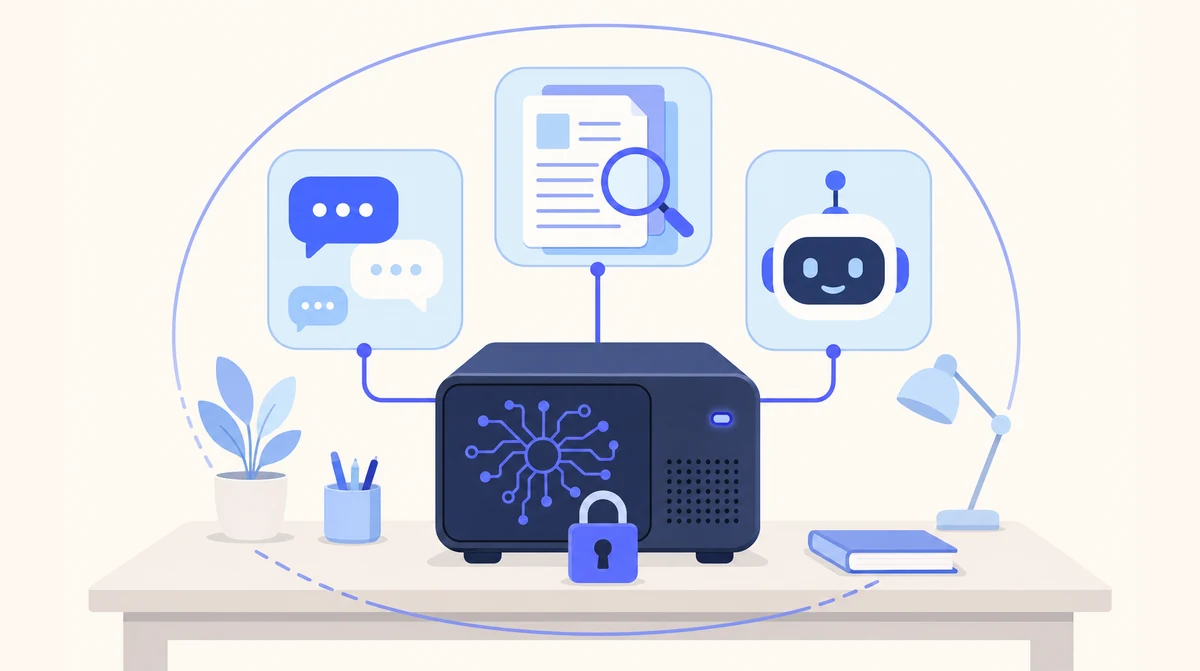
Local AI is our on-premise product: a machine we specify, install on your network and keep updated. The full product page is at Local AI.
What an On-Premises AI Solution Actually Is
An on-premises AI solution is a language model — the same kind of software behind the public chatbots — running on a dedicated machine rented to you, in a room you control. Your staff open it in a browser like any other tool. The difference is where the work happens: the question, the document and the answer all stay on that machine. Nothing is sent to an AI company, so there is no AI processor to contract with and no transfer outside Ireland to justify.
That is the whole idea. The rest of this page is what it takes to run one properly in a 5-50 person business — which, if you have ever been handed a "just install it on a server" project, is the part that matters. Our Local AI service is that on-premises AI system, supplied and run by us, so it never becomes a project for your IT person.
One On-Premises AI System, Three Tools Your Team Will Use
Everything below runs on the one machine in your office. Sign-in is through the Microsoft 365 or Google Workspace accounts your staff already have.
Private Chat
A ChatGPT-style assistant on your own hardware. Draft letters, summarise a 40-page report, ask questions about an uploaded file — with none of it leaving the building.
Document Spaces
Point it at the contracts folder or the tender archive. Search, compare and summarise across hundreds of documents, with a citation back to the page each answer came from.
AI Assistants
Custom automations for the recurring jobs — the monthly report, the standard memo, the checklist someone runs by hand — built on the same machine and covered by the same support.
On-Premise vs Cloud AI: Where the Lines Fall
Both are good answers to different questions. We sell both, so this is the honest version.
| Comparison | Cloud AI (public chatbot or our cloud agents) | On-Premise AI (Local AI) |
|---|---|---|
| Where the processing happens | The provider's servers, usually outside Ireland | A machine on your own network, in your building |
| Third-party AI processor | Yes — a contract to sign, assess and review | None for the AI step; we're a processor only for support access you grant |
| Internet needed | For everything | Only for sign-in; chat and document search keep working if the line drops |
| Capability and speed | Frontier models — fastest and strongest on hard, novel problems | Open-weight models — capable for summarising, drafting and extraction; somewhat slower |
| Hardware | None | One dedicated machine, sized and supplied by us |
| Setup time | Days | Weeks, not months |
| Pricing shape | Monthly subscription | €600 per month, software and hardware rental |
| Best for | Phone, email and leads automation | Document-heavy, confidential work |
Many clients run both: our cloud AI receptionist on the phone line, and on-premise AI for the files nobody is allowed to email out. If the question you actually have is "which model would run on it", our local LLM page covers that side; if it's "what does the box look like", see the AI server page.
From First Call to AI on Premises in Three Steps
Scope and Size
A short call: which team, which folder of documents, how many people. We specify the machine from that — bring your IT person or your DPO if you have one.
Install on Your Network
We supply the configured machine, connect it to your network, switch on single sign-on with Microsoft 365 or Google Workspace and import your existing documents into spaces.
Train, Go Live, Keep It Current
We train the people who'll use it. After go-live we handle software updates and model upgrades, and the people who installed it are the people who support it.
An On-Premises AI System Without a Server Project
Most small Irish businesses don't have an IT department. They have Ciarán, who is also the office manager, and an outsourced firm that answers tickets. "Put AI on premises" lands on Ciarán's desk as a threat. So here is exactly what we ask of your side, and what we take off it.
From you: a network port, a power socket and somewhere the machine can sit — a comms cupboard or a quiet corner of the office is fine. Your staff reach it through the browser on the office network. Sign-in goes through the identity you already run, so joiners and leavers are handled where you already handle them. We don't open inbound ports to the machine; its only outbound connections are to your Microsoft or Google account for sign-in and to us for updates.
From us: the hardware specification and supply, the operating system and model installation, the document indexing, the software updates and model upgrades, backups of your documents and spaces, and the replacement arrangement if the machine fails. We agree the backup schedule with you before go-live. Retention and deletion keep following the policy you already have, because the files never left your systems.
What's Included, and What Stays With Your Team
The dividing line, written down so nobody discovers it in month three.
| Area | AgentHub does | Your team keeps |
|---|---|---|
| Hardware | Sizes, specifies, supplies, configures and installs the machine | A port, a socket and a place for it to sit |
| Access | Connects single sign-on to Microsoft 365 or Google Workspace | Who is in which group — managed where you already manage it |
| Documents | Imports existing folders into spaces and indexes them | Deciding which folders are in scope, and your retention policy |
| Updates | Software updates and model upgrades, on a schedule we agree | Nothing — no patch cycle lands on your IT person |
| Backups and failure | Backs up documents and spaces; restores to a replacement machine | Agreeing the schedule and where the backups live |
| People | Trains the team, supports them after go-live | Naming one person we talk to when something needs adjusting |
| Data protection | Acts as processor for support access only; signs a data processing agreement | You remain the data controller throughout |
Which Teams Put AI on Premises First — and Which Jobs Stay in the Cloud
Start from the job, not the technology. This is how we'd route the common ones.
| Team or job | Why on premises | What we'd put on it |
|---|---|---|
| Solicitors — contracts, discovery, precedents | Client confidentiality and contract clauses that forbid passing the other side's documents to an external processor | Local AI document spaces per matter type |
| Accountants — client files, working papers | Year-end files for dozens of clients that should never sit in a public chatbot's history | Local AI private chat and spaces; see our private AI page |
| GP and dental practices — admin, letters, policies | Health data is special-category data; the fewer processors the better | Local AI for admin documents — see GDPR-compliant AI |
| HR — personnel files, policies, investigations | Personnel records and grievance files are exactly what staff shouldn't paste into a public tool | Local AI spaces with access limited to the HR group |
| The phone line, 24/7 | No confidential documents involved; needs to be live in days | Cloud AI Receptionist |
| The info@ inbox | Triage and drafting in your tone, hosted by us | Cloud Email Manager |
| Chasing new enquiries | Speed matters more than data location | Cloud Leads Outreach |
Most clients should start with one team and one clearly defined use — the contracts folder, or the tender inbox. Once that team is using it daily you know what to size the rollout for, and adding people is a configuration change rather than a new project. If you're weighing up whether your files can go to a public tool at all, our guide on whether ChatGPT is safe for confidential information is the honest starting point.
What Clients Say About Working With Us
Since installing AgentHub's AI receptionist, we haven't missed a single patient call. It handles appointment queries after hours and our front desk staff can focus on in-clinic care.
Our inbox was drowning us. AgentHub's email manager now categorises everything and drafts responses that sound exactly like us. Response times went from 48 hours to under 4.
An Irish Team That Has Run Its Own On-Premise AI
Built in Ireland
We're an Irish company. The machine is installed by us, in your building, and the people who support it are the people who built it — see who we are.
PhD-Led Team
Founded by a Computer Science PhD with 27+ years in software, including 15 years at IBM Ireland.
Security First
Co-founded by a Security Architect. No inbound ports, sign-in through your own identity provider, and a data processing agreement we'll sign before go-live.
Not a Project for Your IT Person
Hardware, installation, updates, backups and support are ours. Your side supplies a port, a socket and one named contact.
On-Premise AI: Your Questions Answered
What is on-premise AI?
On-premise AI is a language model running on hardware inside your own building rather than on a provider's cloud. Staff use it through a browser like any AI chatbot, but the questions, documents and answers stay on the machine in your building. Nothing is sent to an AI company, so there is no third-party AI processor.
On-premise vs cloud AI — which is better?
Neither, universally. Cloud AI is faster, needs no hardware and runs the strongest models — right for phone, email and leads automation. On-premise AI trades a little capability and speed for your data never leaving the building — right for confidential, document-heavy work. Many of our clients run both.
What hardware does an on-premises AI system need?
One dedicated machine with a graphics card capable of running the model, sized to your team and document volume. We specify and supply it after a short call — you don't need to choose components. It needs a network port, a power socket and somewhere to sit; a comms cupboard is typical.
Does on-premise AI need an IT team?
Not with Local AI. We supply the configured machine, install it on your network, connect sign-in to your Microsoft 365 or Google Workspace, handle software updates and model upgrades, and run the backups. Your side names one contact and decides which folders are in scope.
How long does an on-premise AI installation take?
Weeks, not months. The call and hardware specification come first, then supply, installation on your network, single sign-on, importing your documents into spaces and training the team. Starting with one team and one folder keeps it short; adding people later is a configuration change.
How much does on-premise AI cost?
€600 per month for the software and the hardware rental. The dedicated machine is rented to your business, not sold: you never buy the hardware. It is installed in your building and runs the private chat, document spaces and assistants. There are no per-message or per-user usage charges for the AI itself. Local AI is for business customers only.
Ready to Put AI on Your Own Premises?
Tell us which team and which folder, and we'll tell you what machine it needs — and whether on-premise is the right answer at all.
Prefer to talk? Email sghaith@agenthub.ie or call 087 788 2676.